

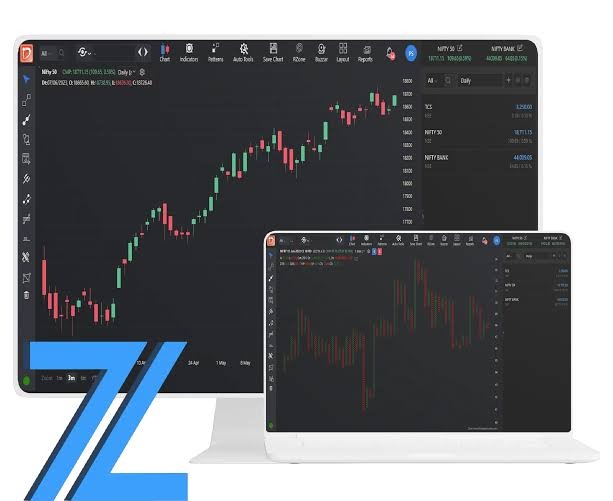
Clear records and secure access are the foundation for keeping track of shares. Demat Account App helps investors to check their holdings on a phone. It also may connect to tools for trades and price checks. Learning how these parts work enables account holders to read updates and to see problems.
Several services can be combined on one screen. An Investment App can show shares, fund units, cash balances, and orders depending on the scope. But each plays a different part. A live price is not evidence of a trade, and account safety does not eliminate market risk.
What the Account Holds
Demat account: It is an account in which shares and other eligible assets are held in electronic form. Depositories in India are NSDL and CDSL. The system is connected to the investor through a depository participant or DP. The app is a tool for access, not the place where records of shares exist.
Buy and sell orders are sent from a connected trading account. A bank account is about money. These accounts might be in the same app, but they still have different purposes. For instance, cash shown as available for a trade is not the same as shares held in demat form.
Access setup instructions
1. Verify the firm’s registration and DP details from the official records. Use the link to the app on the firm’s own website. The app isn’t legit just because it has a familiar logo or lots of downloads.
Then complete the identity checks. Process may ask for PAN, Address Proof, Bank Details, Signature. Follow stated KYC steps and any video check required. Please read each consent field before you hit submit. Setup time is depending on the checks and documents sent.
Check the fee sheet then. Review charges for account fees, trading fees, taxes and debiting shares A free opening offer doesn’t mean that all services are free. Save a copy of the applicable terms to your account.
Finally, configure login controls and confirm your phone number and email address. Keep your account number and support details safe. Check the order book, holdings page and help section before placing an order.
Develop Safe Daily Habits
Account safety is more than simply the sign in screen. Do not use a password that you use on other sites. Keep two factor checks on where provided. Never share passwords, PINs or OTPs with callers claiming to offer help.
Install updates from the official app store. Lock phone when idle. Do not open links from unknown contacts to accounts. Be careful of requests to share your screen or download remote access tools. For information on assistance, see the firm’s website.
Make sure your contact info is up to date so you get alerts. Review login and account activity notices. In case you find any entry is wrong, contact the broker or the DP through its official channel. Note when it came. Keep the message. These details may help with a complaint.
Read Live Updates in Context
Live updates may include share prices, price charts and bid and ask quotes and order status. Check the time against the data. Feeds can be live, delayed or refreshed at intervals A poor connection can also affect what you see on the screen.
The last trade price is a prior trade. It doesn’t guarantee the price your order will be executed at. For instance, a share that is quoted at ₹100 may be trading at a different price when an order comes to the exchange. The result depends on changes in price and orders available.
An order can be Pending, Partially Filled, Filled or Rejected. An order does not evidence a completed trade. Check order book and transaction details. Price alert is a warning, only on a fixed condition. They don’t tell you if a stock fits someone’s goals.
Check Records and Expenses
Separate checks for holdings, cash, gains. An increase in the stated value of shares is an unrealised gain until they are sold. Fees and taxes can impact the bottom line. So read trade and account records in conjunction with app figures
Match contract notes with trades. Check demat statements. Check number of shares, dates and charges. This helps to find out a missing entry or a wrong debit. Make sure you have copies of key records so you can reference them if an app is down.
If the app doesn’t load, don’t think the trade has failed too. Use other channels of the broker to check its state. Before you do this, order the same thing a second time.
Conclusion
Demat app offers market updates and account access in one screen. Their value depends on clean records, safe access and a sound understanding of the data. Support informed use by checking Credentials, Costs, Alerts and Trade Status. The account controls are working, but there is still market risk.
Sources